
Quick Overview
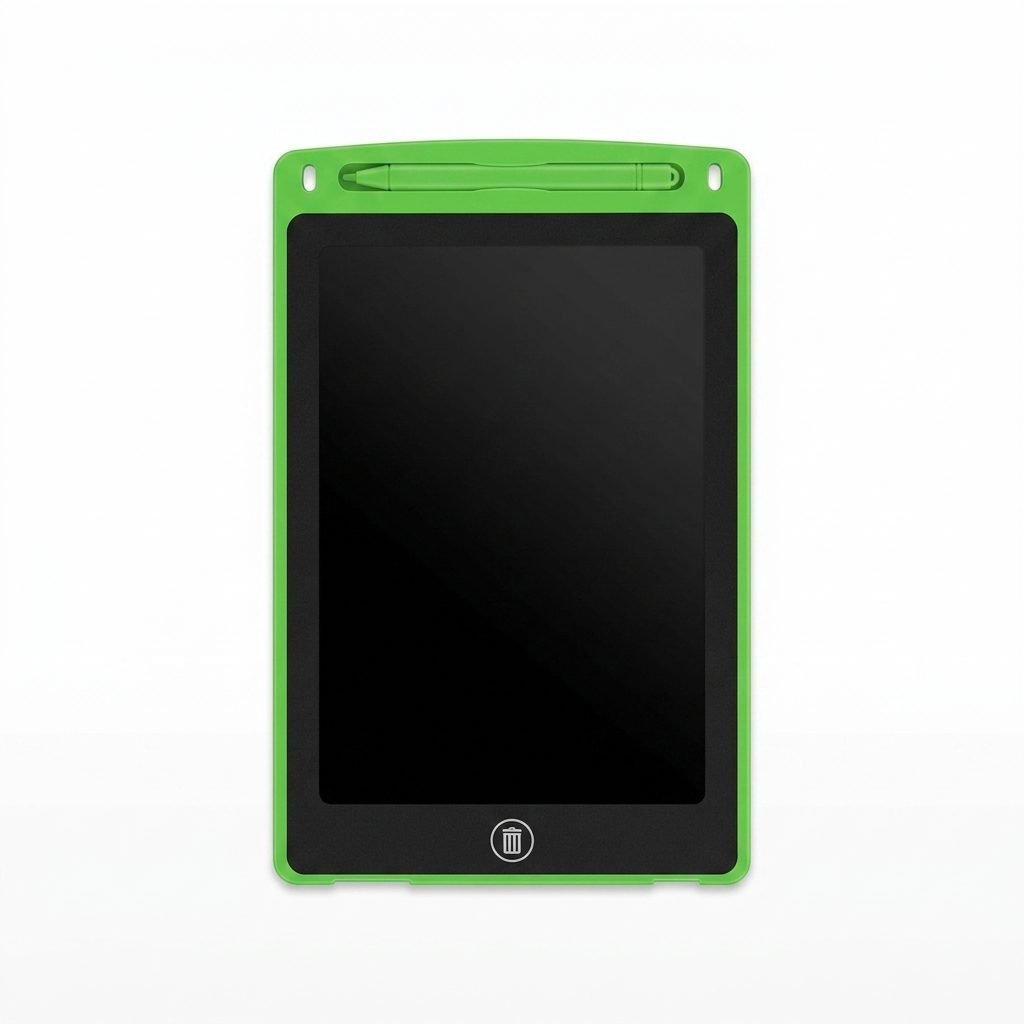
In this 10-inch lcd writing tablet for kids review, we tested a lightweight for kids review is about a lightweight reusable writing and drawing pad designed for children and adults with a green frame and black LCD screen. Reusable writing and drawing pad designed for children and adults. The photographed unit has a green frame, a black LCD writing surface, and a matching stylus stored at the top.
It can be used for drawing, handwriting practice, simple calculations, short notes, to-do lists, and other everyday activities. The screen can be cleared using the erase button, allowing the tablet to be used repeatedly without paper.
Key Features
Overall, this 10-inch lcd writing tablet for kids review shows it is best for 3-8 year kids.
The tablet provides a large 10-inch writing area while remaining slim and easy to carry. Its main features include:
- 10-inch LCD writing surface
- Reusable paper-free design
- One-button screen clearing
- Screen-lock function
- Included writing stylus
- Built-in stylus holder
- Lightweight and portable construction
- Suitable for writing, drawing, and simple learning activities
The lock function is useful when the user wants to prevent the screen from being erased accidentally.
How It Works
Remove the stylus from its holder and write or draw directly on the black LCD screen. The marks appear on the display as the stylus moves across it.
To clear the screen, make sure the lock switch is in the unlocked position and press the erase button. The packaging advises waiting approximately two seconds after clearing the screen before writing again.
If the screen does not erase, first check the lock switch. If it is unlocked and the screen still cannot be cleared, the battery may need to be replaced according to the manufacturer’s instructions.
Writing and Drawing Experience
The wide writing area gives children enough room for doodling, practising letters, writing numbers, and solving simple maths problems. Adults may also find it convenient for temporary notes, reminders, shopping lists, or quick calculations.
This product is intended for temporary writing rather than permanent artwork. The screen clears as a whole, so individual lines cannot normally be removed separately.
It is also important to understand that this is not a digital tablet. It does not save drawings, connect to the internet, install applications, or export written work.
Useful Everyday Activities
The LCD writing tablet may be used for several simple activities, including:
- Letter and number practice
- Drawing and doodling
- Basic maths exercises
- Spelling practice
- Short reminders
- To-do lists
- Travel-time activities
- Simple games between children and parents
Because the screen can be reused, it may reduce the amount of paper needed for short-lived notes and practice work.
Available Colours
This writing tablet is available in multiple colours, including green, blue, red, and black. The unit photographed for this review is green.
The packaging may display a different colour from the item inside. Colour availability can vary depending on the retailer and current stock, so buyers should confirm the selected colour before purchasing.
10-Inch LCD Writing Tablet Specifications
Here is a quick overview for parents:
| Feature | Details |
| Screen Size | 10-Inch LCD |
| Frame Color | Green (Available in Blue, Red, Black) |
| Function | One-Button Erase + Screen Lock |
| Included | 1 Tablet, 1 Stylus |
| Battery | Built-in, Replaceable |
| Age Group | 3 years + |
What Is Included?
The photographed product includes:
- One 10-inch LCD writing tablet
- One matching writing stylus
Packaging, colour, and accessories may vary between different batches. Buyers should check the actual product and packaging to confirm exactly what is included.
Portability and Storage
The tablet has a slim, lightweight design that makes it convenient to carry around the home or place inside a school or travel bag. The built-in holder keeps the stylus attached to the tablet when it is not being used.
The tablet should be stored in a dry place and protected from heavy objects that could press against or damage the screen.
Age and Safety Notes
The packaging carries a small-parts choking warning and states that the product is not suitable for children under three years of age.
Children should use the tablet under appropriate adult supervision. Do not use sharp or pointed objects on the writing surface, as they may scratch or permanently damage it.
The manufacturer also advises users:
- Not to apply extreme pressure to the screen
- Not to submerge the tablet in water or other liquids
- Not to leave it in prolonged direct sunlight
- To clean it using a soft, clean cloth
- Not to use abrasive materials or cleaning liquids
Always check the safety instructions printed on the actual packaging before use.
Advantages
- Large reusable writing surface
- Simple one-button clearing
- Lock switch helps prevent accidental erasing
- Lightweight and easy to carry
- Stylus can be stored on the tablet
- Useful for both learning and casual drawing
- Can reduce paper use for temporary work
Things to Consider
- Drawings cannot be saved or transferred
- The entire screen is erased at once
- It is not a touchscreen or digital device
- A damaged screen may not work correctly
- Colour may differ from the example shown on the box
- The battery will eventually require replacement
Frequently Asked Questions (FAQs)
Does the 10-inch LCD tablet need charging?
No, it does not need regular charging. It comes with a built-in battery that lasts for a long time for erasing. When the erase button stops working, you just need to replace the small battery inside.
Can children save their drawings on this tablet?
No, this is not a digital or touch-screen tablet. It does not save drawings or connect to the internet. When you press the erase button, the whole screen is cleared at once. It is for temporary practice and drawing.
Is the writing tablet safe for small kids?
According to packaging, it is not suitable for children under 3 years due to small parts like stylus. Children should use it under adult supervision and should not use sharp objects on the screen.
Is this 10-inch lcd writing tablet for kids review good for 3 year old?
Yes, this 10-inch lcd writing tablet for kids review confirms it is safe for 3+ kids.
Related Reviews from BS Toys Guide
Final Verdict – 10-Inch LCD Writing Tablet for Kids Review
I bought this green LCD tablet for my niece and she uses it daily for alphabet practice, which has saved a lot of paper in our home.
The 10-inch LCD writing tablet is a simple and practical option for drawing, handwriting practice, temporary notes, and basic learning activities. Its large screen, lightweight body, screen-lock function, and reusable design make it convenient for everyday use.
It is best suited to users who want an uncomplicated paper-free writing surface. Parents should remember that the product is not designed to store artwork or replace a full digital tablet, and all age and safety warnings on the packaging should be followed. Final Verdict of this 10-inch lcd writing tablet for kids review – Recommended for drawing practice.